
Context menus
Right-click (or long press, or Shift+F10 on the focused row) a project, worktree, worker, session or tab for its actions.
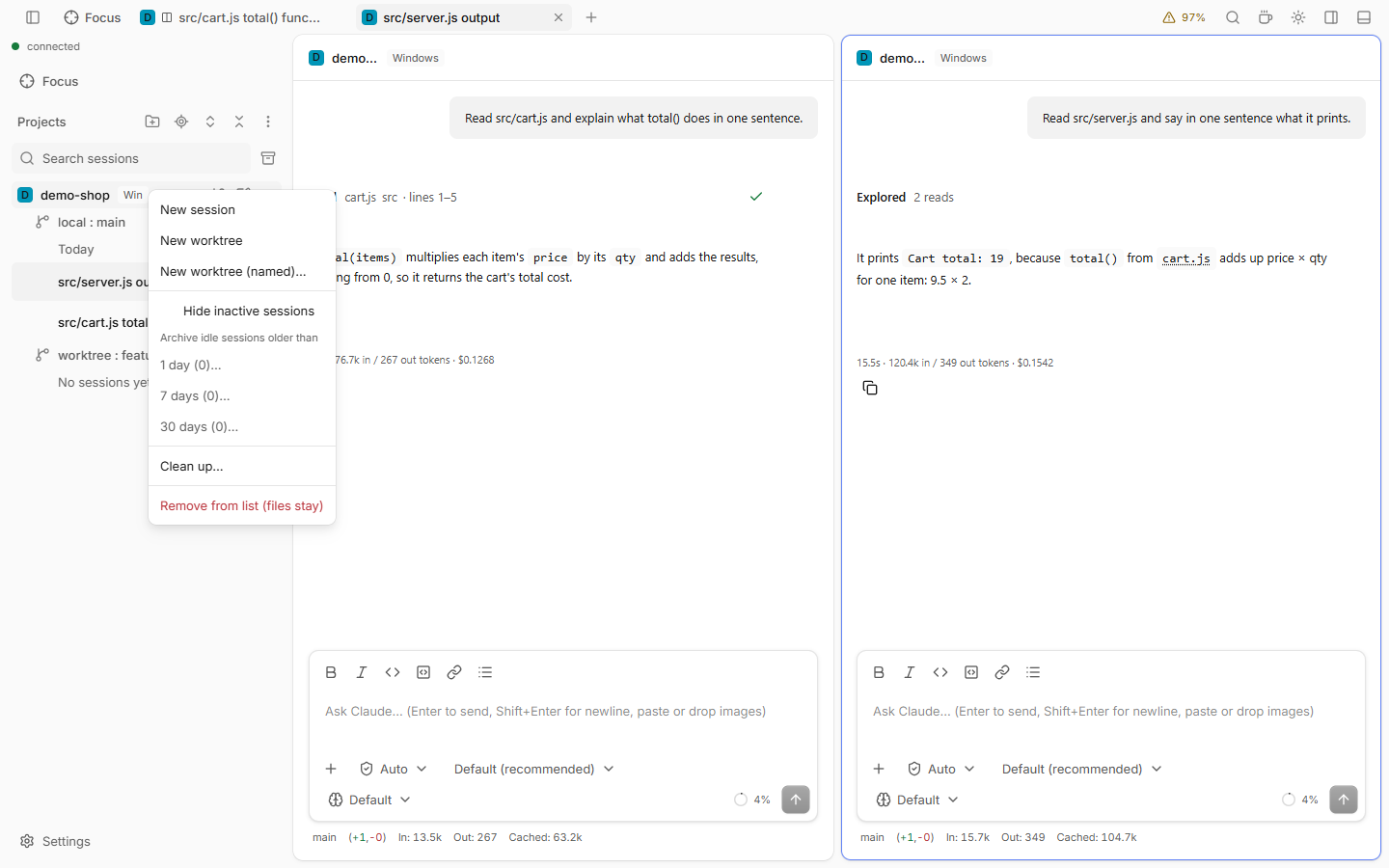
Sidebar
| Row | Items |
|---|---|
| Project | New session, New worktree (at once, generated name), Create worktree…, Hide inactive sessions, Archive idle sessions older than 1, 7 or 30 days, Clean up…, Remove from list (files stay) |
| Worktree | New session, Hide inactive sessions, the same archive items, Delete worktree… |
| Session | Rename, Archive, Copy session ID, Close tab, Delete… |
| Worker | Close worker, Remove worker… (with an option to remove its worktree too) |
| Coordinator, or its "N workers" row | Close finished workers, Remove closed workers…, Clean up workers… |
On a narrow screen, the ⋯ button of a project or worktree row lists the same items.
Tabs
Right-click a session tab:
- Close tab, Close others, Close to the right and Close all show a Closed N tabs toast with Undo. Pinned tabs stay.
- Pin tab keeps the tab first in its group, as an icon without a close button.
- Copy session ID and Reveal in sidebar, which shows and focuses the session's row.
- Split right and Split down, see Split view.
The close and pin commands are also in the command palette and can be bound in Keyboard shortcuts. More ways to close many tabs: Clean up.
Group chips
Right-click a group chip (the project name in front of its tabs):
- Move group left and Move group right.
- Clean up group closes the idle tabs of that group.
- Close other groups and Close group.
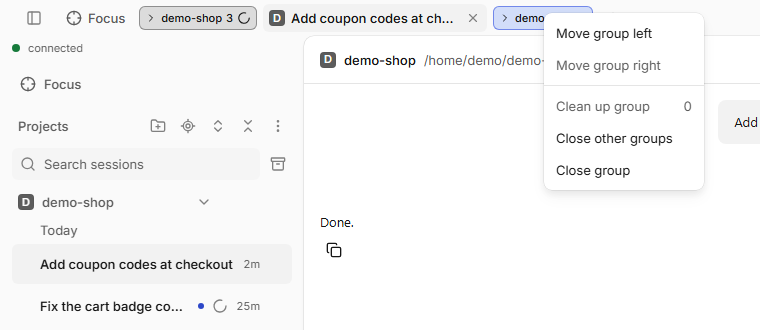
With Compact tabs on (Settings › Layout › Tabs), hovering or clicking the chip opens a menu that lists only the group's tabs. The group actions above stay in the chip's right-click menu.
Files
The file tree has its own menu, see Files.
Good to know
- Archiving idle sessions asks first and names the count. A coordinator is archived only when it and all its workers are idle.
- Close finished workers does not ask. Remove closed workers… and Remove worker… do.