
Terminal
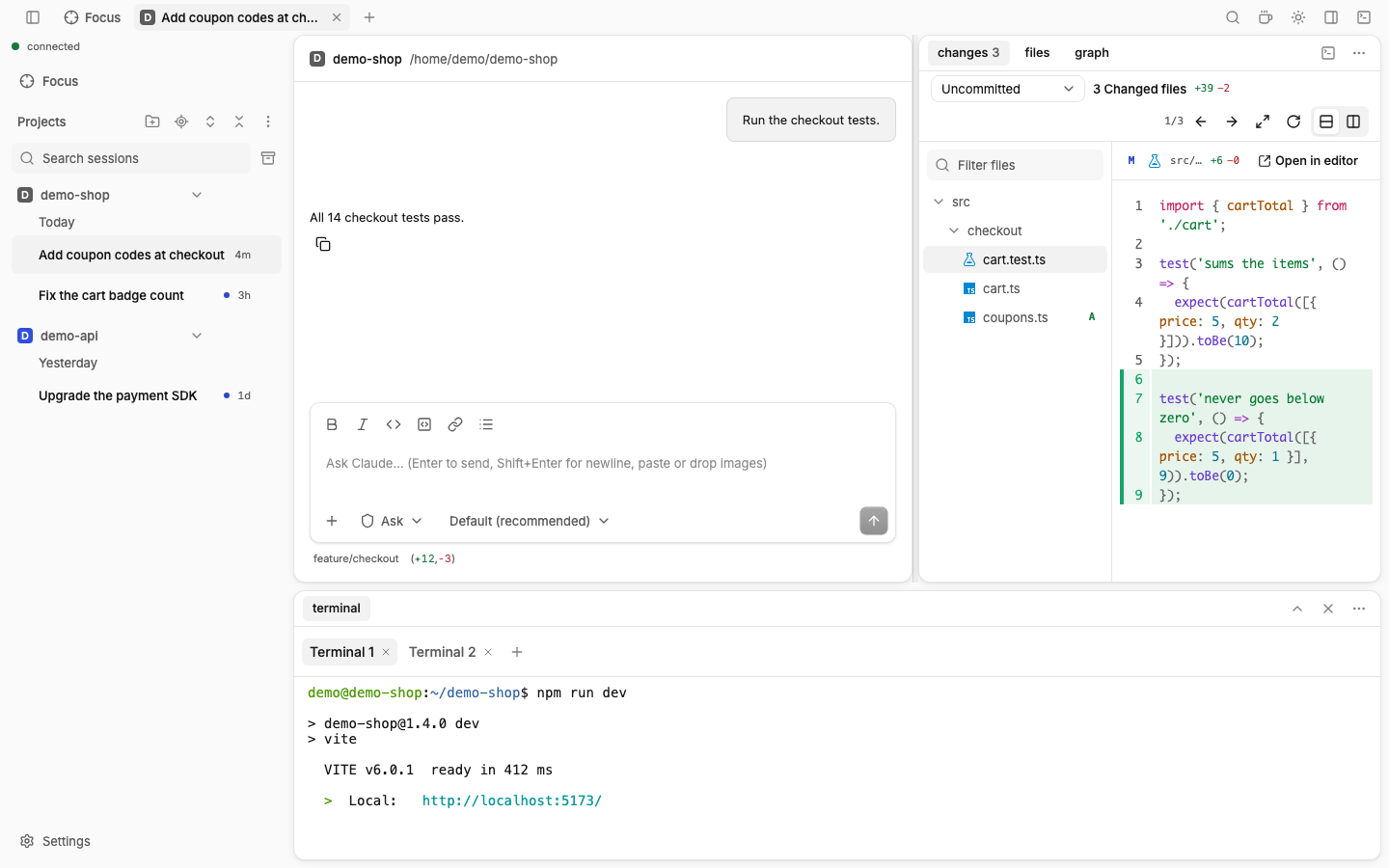
A real terminal in the session's folder, docked at the bottom of the window by default. It can also sit in the side panel or as a tab in the main area. It runs on the daemon's computer.
How to use
- Press Ctrl+` to show or hide the terminal (or the terminal button in the side panel).
- Type commands like in any terminal.
- Click + (New terminal, Ctrl+Shift+`) for another one. Each gets a tab in the row above the terminal: Terminal 1, Terminal 2…
Which shell
| System | Shell |
|---|---|
| Linux, macOS | $SHELL, else bash |
| Windows | SHELL if it names a Windows file, else pwsh, else Windows PowerShell, else cmd.exe |
| WSL or Docker session | The shell of that side |
For Git Bash on Windows, set SHELL to C:\Program Files\Git\bin\bash.exe before you start claude-ui.
Good to know
The terminal is a pane: it sits in the bottom panel, under the session and the side panel. The bottom panel resizes and maximizes. Terminal position in Settings › Layout › Terminal, or a move of its tab, puts it in the side panel or the main area.
In the main area the terminals of a project are one tab ("Terminal · project") that stays while you work in another project. After a reload each folder shows the terminal you selected in it.
Terminals live in the daemon. They survive a page reload or a lost connection, and the last output is replayed.
A shell starts only when you open the terminal (Toggle terminal, New terminal, or a click on its tab), never on a reload, a session or project switch, or a reconnect. A terminal you left open shows again only while its folder has running shells, and then it does not take the focus.
Plain Ctrl+letter keys go to the shell. App shortcuts with Alt still work.
Up to 8 terminals per browser tab, 32 in total.
Nerd Font icons (as used by many shell prompts) display correctly.
On Linux and WSL the terminal needs a C++ toolchain at install time. See Install.